Work/CoffeeBrew
CoffeeBrew
A coffee machine in an app: Bluetooth pairing, Wi-Fi handover, scheduled brews and a home-screen widget. There is no machine, so it is written against a device protocol and runs on a simulated one. Everything above that line is real.
- ROLE
- Design & development
- YEAR
- 2026
- PLATFORM
- iOS + Android
- STATUS
- Not released
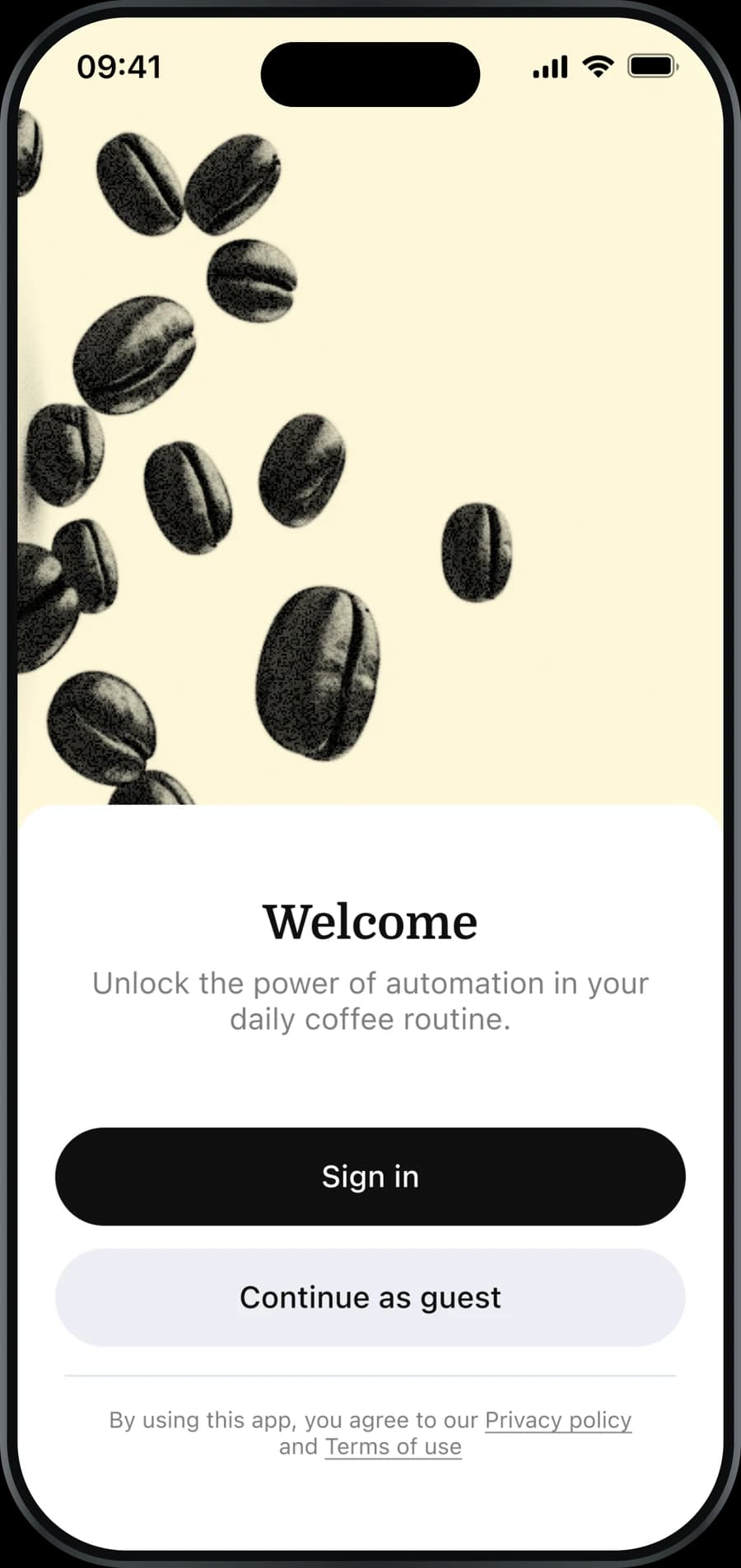
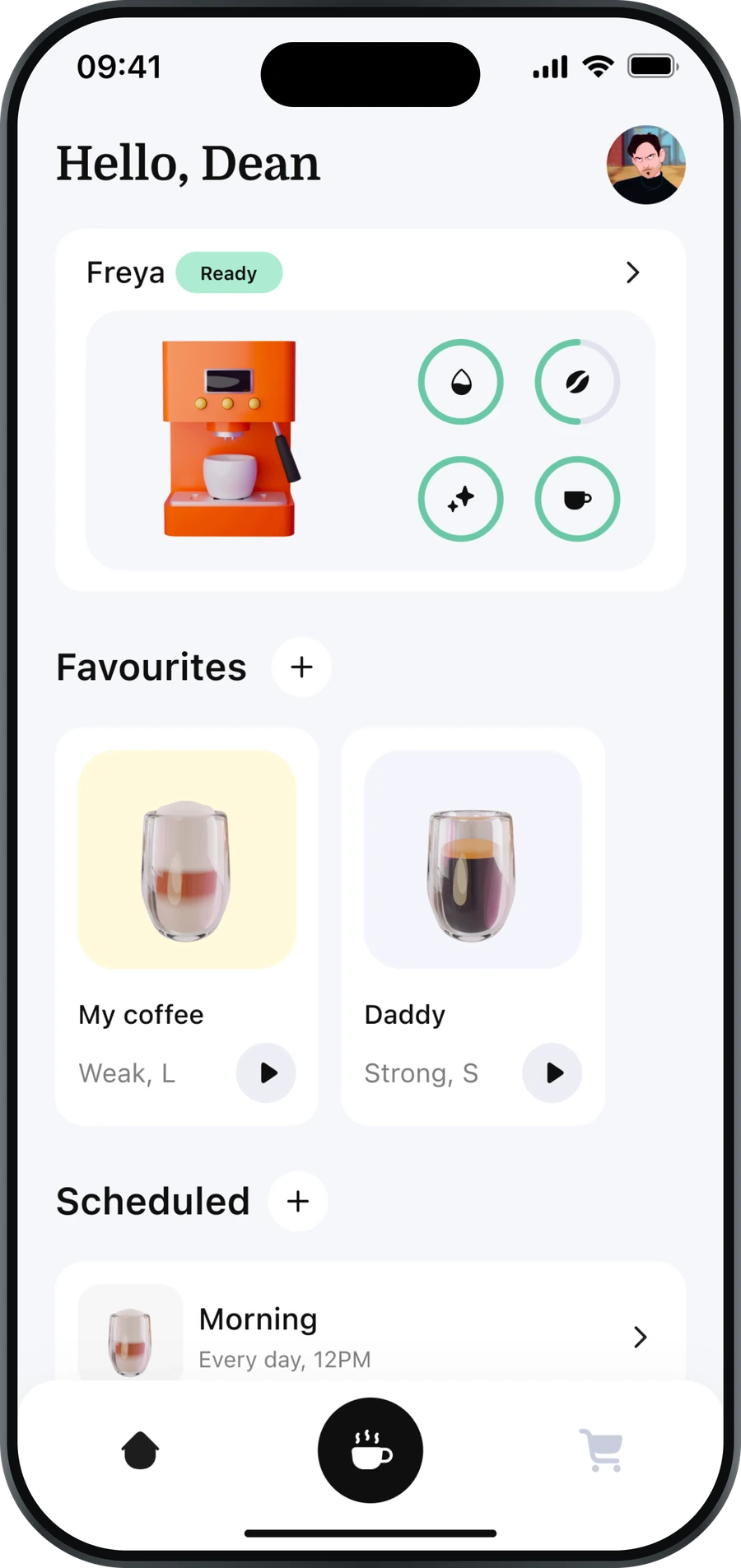
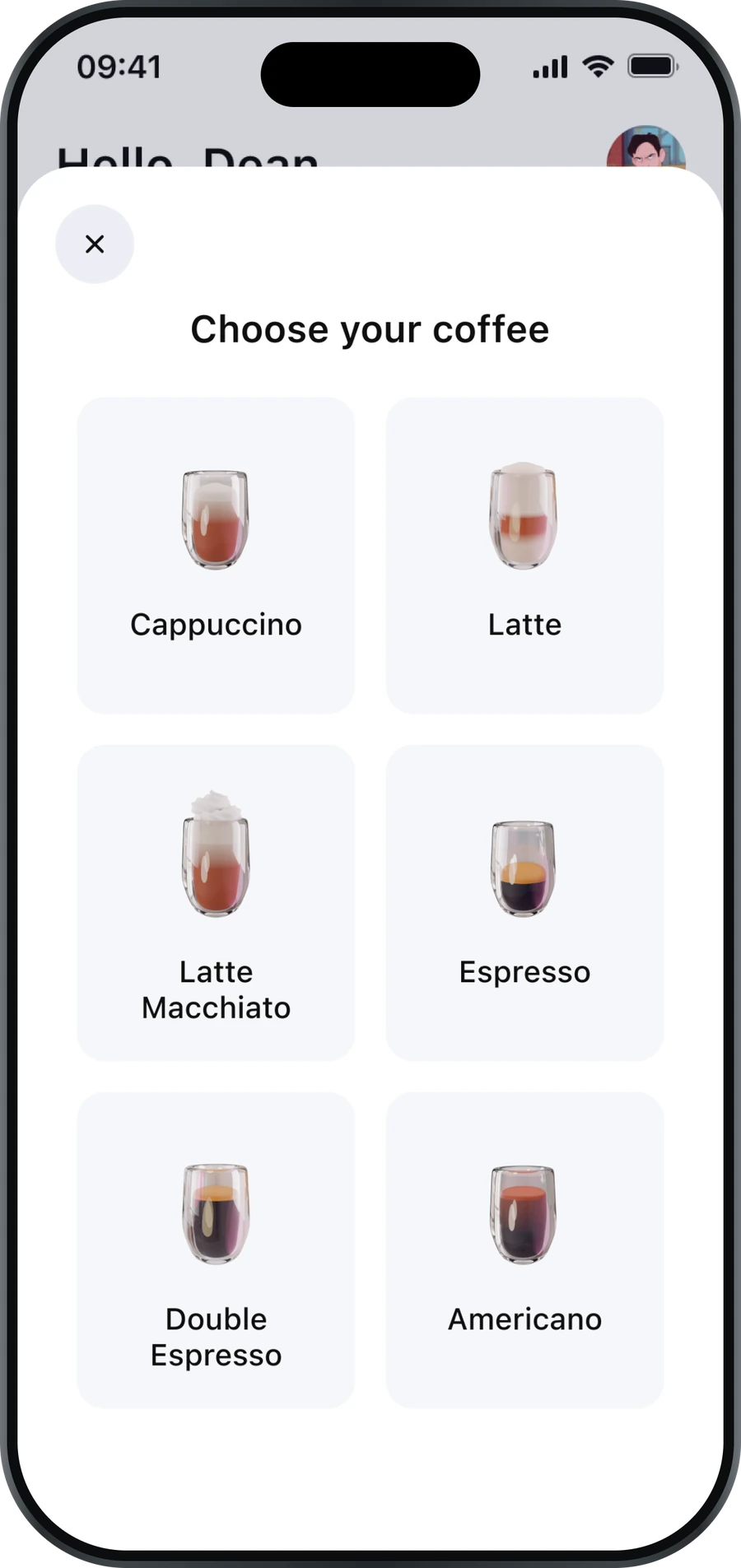
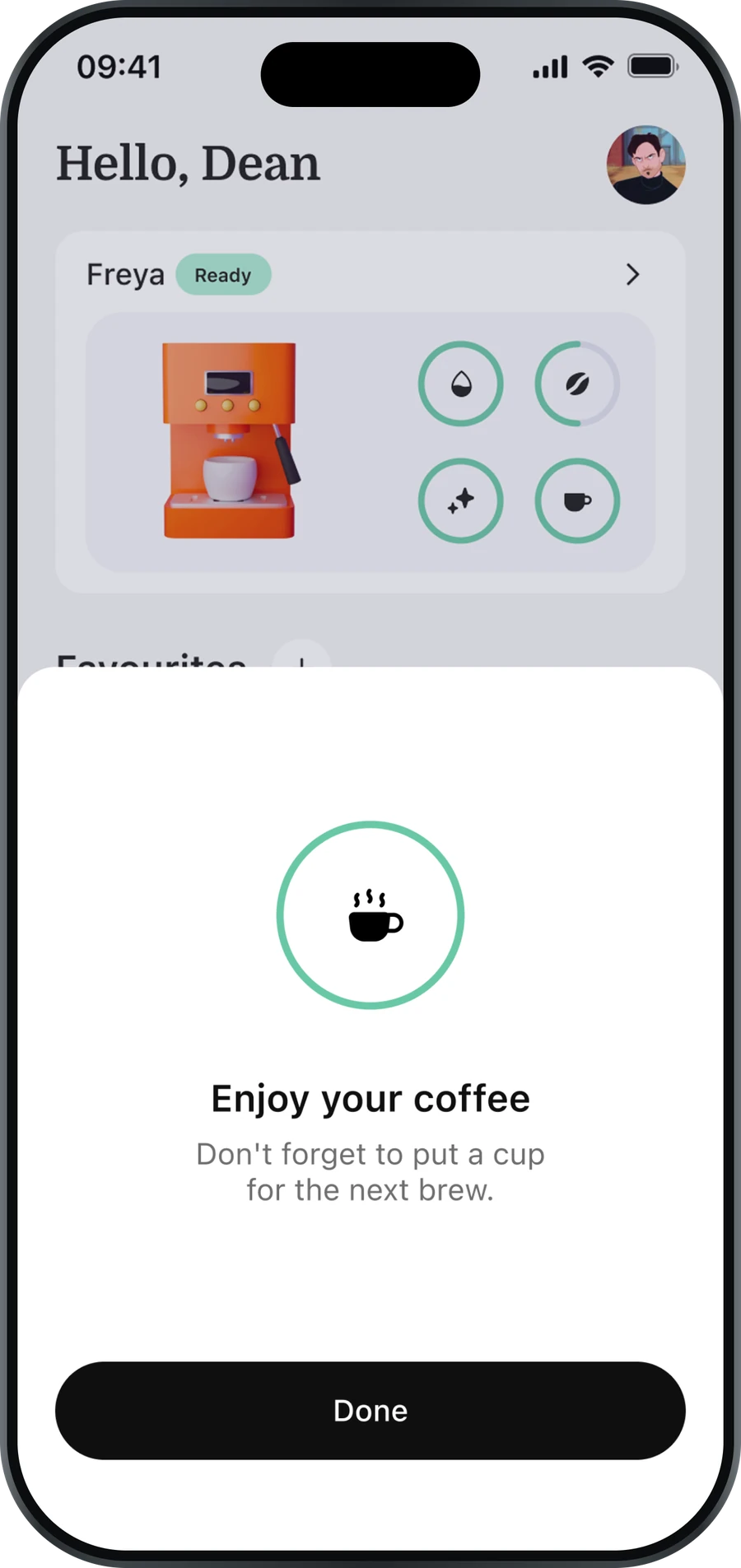
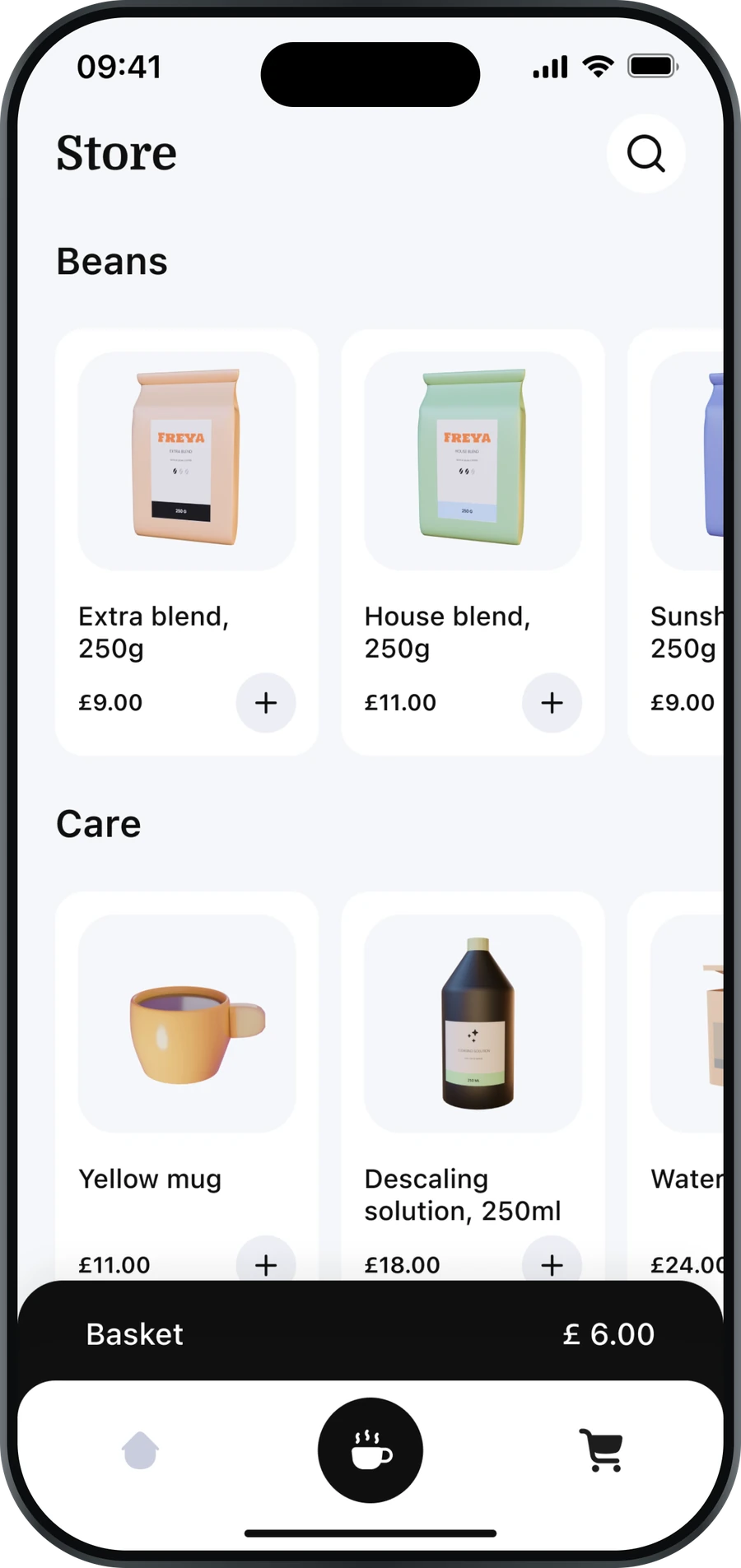
The machine, the favourites, and what is queued
02 / 07
Screen 2 of 7: The machine, the favourites, and what is queued
Every connected-appliance app is straightforward right up until the appliance is not in the room.
CoffeeBrew pairs with a coffee maker over Bluetooth, reads how much water, beans and cleaning cycle it has left, hands it your Wi-Fi so it keeps working when your phone is not nearby, and then brews on a schedule, with a home-screen widget that says what is about to happen and a push notification if it needs you.
I did not have a machine. So the device sits behind a protocol interface of scan, read sensors, list networks, provision and brew, and the app ships one implementation of it, a simulated one. Swapping in a real machine is a file, not a rewrite. That constraint is the point of the project rather than an apology for it.
Everything above that interface is built for real: the pairing flow with its failure states, the Supabase backend, the Stripe checkout for beans, the scheduled-brew reminders that run on a database cron whether or not the app is open, and the Swift module that keeps the widget in step with the app.
Never released, and it is on this page for what it proves rather than for what it sold. Design and development entirely my own.
- STATUS
- Not released
- PLATFORM
- iOS + Android
- BUILT
- 2026
Three screens carry it.One device, three states.
STATE 01 / 03
What the machine says
Water, beans and the cleaning cycle are read from the maker before anything is offered, so one that cannot answer shows as unavailable rather than as ready. The favourites and the schedule sit underneath, because the question on opening this app is never what it can do. It is whether the machine is ready and what is already queued.
STATE 02 / 03
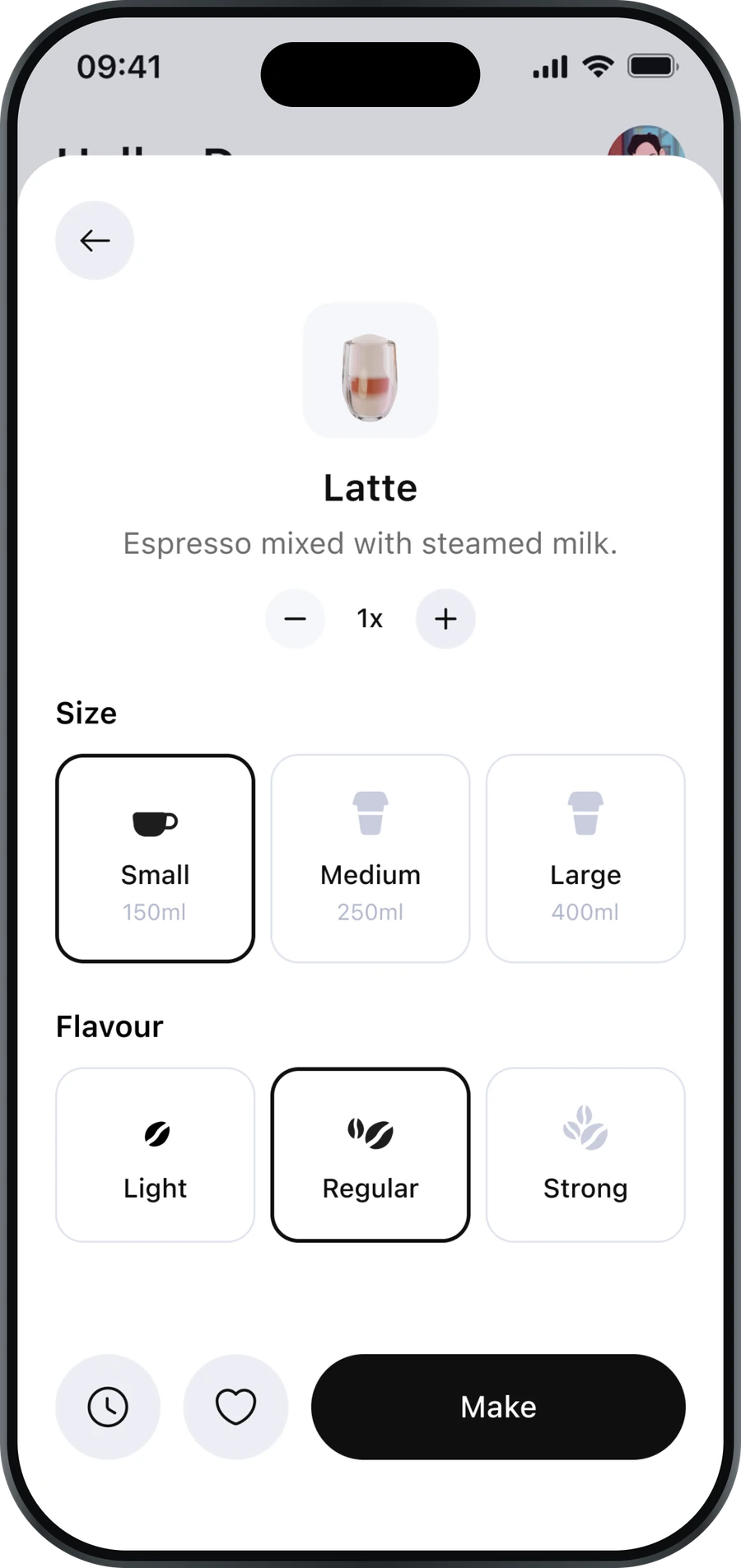
One brew, fully specified
Size and strength resolve to a single command sent across the device interface, rather than a screenful of settings the machine is left to interpret. That interface has one implementation today and it is a simulated one; swapping in a real maker is a file, not a rewrite.
STATE 03 / 03
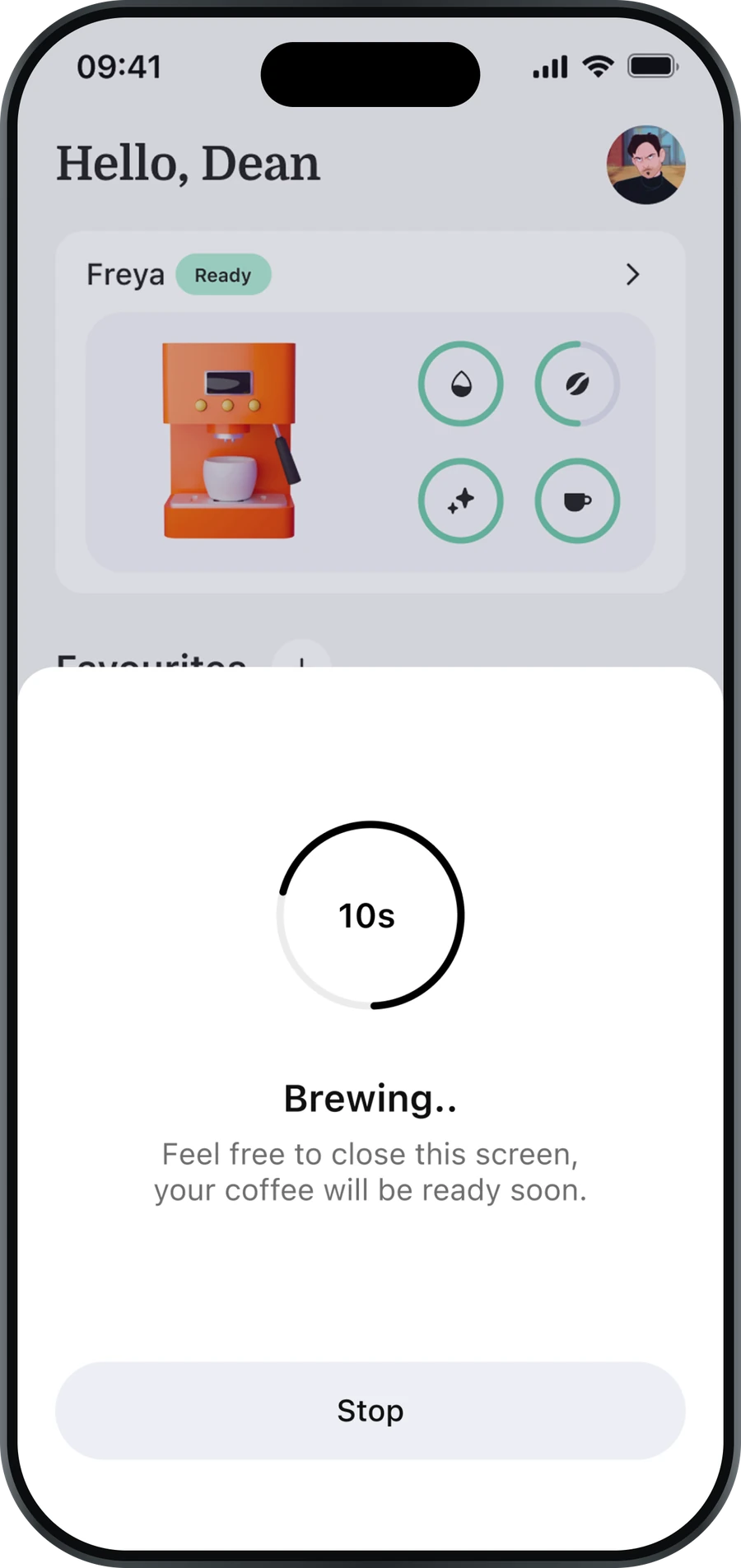
A brew the phone can walk away from
The screen says to close it and means it, because the machine is brewing, not the app. Scheduled brews go further: the schedule lives in Postgres and a cron job inside the database sends the reminder, so it fires whether the app is open, force-quit or uninstalled.
Two decisions worth explaining.The parts that took the longest.
D—01
Writing against a machine that does not exist
The tempting shortcut is to scatter `if (demoMode)` through the connect flow. It works for a demo and it is unpickable afterwards, because the real behaviour and the fake behaviour end up interleaved in the same functions.
So the device is an interface with six methods, and the simulated machine is one implementation of it: delays, a signal strength, four fake networks, sensor values that drift. The connect flow never knows which one it is talking to.
export interface CoffeeMakerProtocol { getScanFilter(): ScanFilter readSensors(id): Promise<SensorData> readAvailableWifiNetworks(id) provisionWifi(id, credentials) sendBrewCommand(id, command)} // one implementation today, two tomorrowD—02
A reminder that does not need the app
A scheduled brew is worthless if the reminder depends on the app being open, and a client-side timer is exactly that, because it dies with the process, and iOS will kill the process.
The schedule lives in Postgres, a cron job inside the database wakes an edge function every minute, and that function is what sends the push. The phone is a client of the schedule, never its owner.
-- pg_cron, inside the databaseselect cron.schedule( 'brew-reminders', '* * * * *', $$ select net.http_post(…) $$) // the app can be closed, force-quit,// or uninstalled. The brew still fires.WHAT IT IS BUILT ON
- CLIENT
- React Native · Expo SDK 54 · expo-router · TypeScript strict · Zustand
- DEVICE
- react-native-ble-plx · Wi-Fi provisioning over BLE · simulated protocol
- BACKEND
- Supabase: Postgres, Auth, Edge Functions, Realtime, pg_cron
- NATIVE
- Swift Expo module · WidgetKit · App Groups · BGTaskScheduler
- COMMERCE
- Stripe: payment intents, webhooks, order confirmation
CREDITS
Design and development entirely my own.
STATUS
Not released. Built against a device protocol and running on a simulated machine.
NEXT PROJECT
Rhovie
An AI skincare coach. A face scan reads your skin, and every scan is saved, so progress is visible instead of imagined.
Tell me what you’re building.A written scope and a fixed quote before any money moves.
I reply to everything within one working day. If I’m not the right person for it, I’ll tell you straight away rather than three weeks in.